Referral Partner Report
The referral pipeline report is a quick and easy way to send an email update to your referral partners, giving them a concise update on the status of leads they provided to you.
With just a few clicks from the referral partner's contact detail, we can send an email update on where the leads they sent us are in our team's lead through loan close management process.
🚧 To help streamline the report and to ensure old leads are not referenced - Only contacts that have been communicated with in the last 90-days will be included on this report.
- First, we'll open the Referral Contact we want to send a report to. Once open, we'll go to the Related Contacts tab.
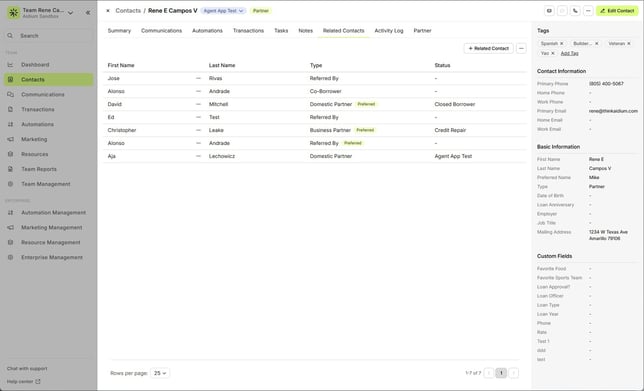
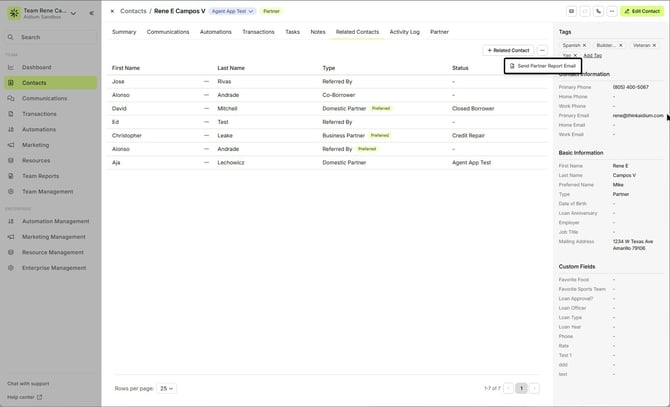
- Next, we'll click the ellipsis [...] button in the upper-right corner of the Related Contacts tab. Then we'll choose 'Send Partner Report Email'
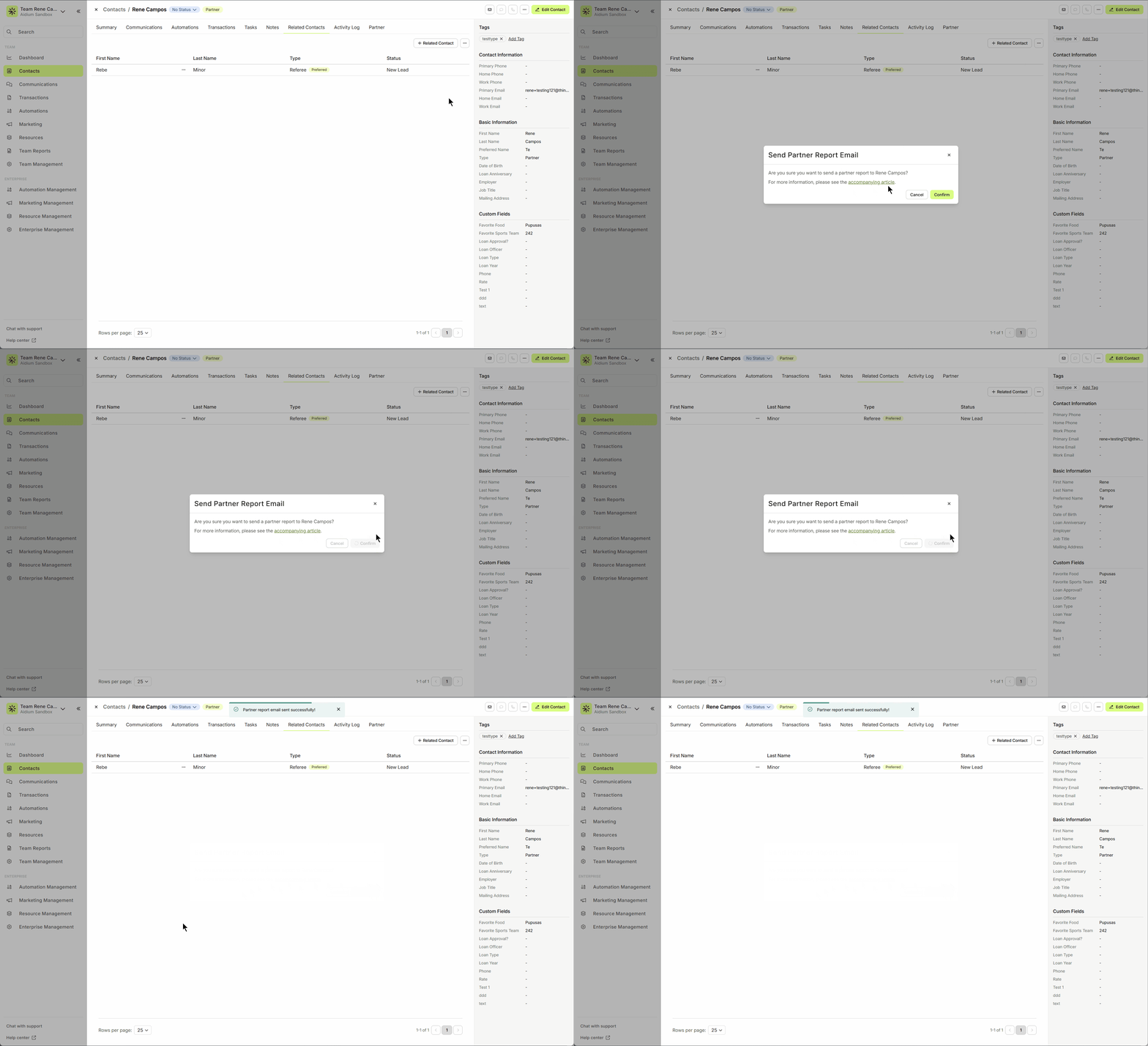
- We'll receive a confirmation dialog to either Cancel or Confirm.

- We'll receive a confirmation toast at the top of the screen when the email is sent. Soon after, the email will be documented on the Communications tab for future reference.
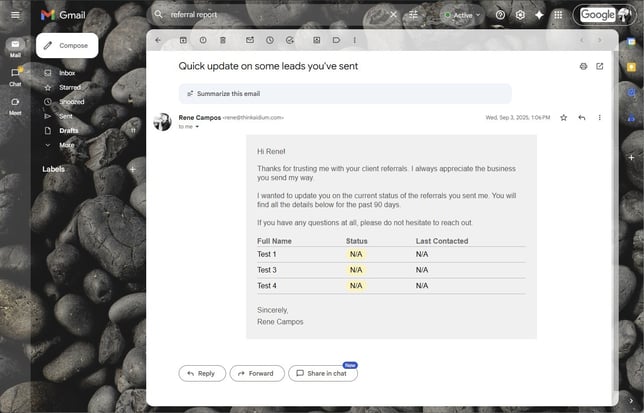
- Below is an example email sent to this referral partner.
⚠️ For the report to work properly, you must link each lead to the referral partner. To learn how, click here.
👍 This concludes sending a Referral Pipeline Report
Related Articles
Contact View – Related Contacts Tab
The Related Contacts tab in the new contact view makes it easy to link any contact to another using a relationship type. This helps your team quickly understand connections, keep track of referrals and partners, and streamline communication. There’s ...Assign Related or Referral Contact
Linking a Related Contact to your leads or borrowers is a key part of building long-term referral relationships. You can also use this feature to track other relationship types, like family members or business partners. ⚠️ A Related Contact must ...Merge Contacts Guide
Combine multiple contacts into one clean record while keeping key information intact. Duplicate contacts can clutter your database and create confusion. The Merge Contacts feature allows you to combine multiple contact records into a single Target ...Using Mass Actions in Contacts
Mass Actions allow you to efficiently make changes or send communications to multiple contacts at once. Whether it's exporting, deleting, reassigning, or sending mass emails, Mass Actions simplify bulk updates. Before diving into Mass Actions, it's ...Import Contacts with CSV or XLSX File - Lendware
Managing contact imports in Lendware is straightforward and can be done in just a few simple steps with some initial organization. Both CSV (Comma-Separated Values) and XLSX (Excel Spreadsheet) files are supported for import. CSV is a universally ...