Manually Create a New Contact
Creating a contact manually in Lendware is quick and ensures every lead, client, or partner is captured for future engagement. Whether it’s a potential lead or a closed client, logging every interaction helps build stronger, more organized relationships.
⚠️ Required Fields: To create a new contact, you'll need:
First Name
Last Name
Either a Phone Number or Email Address
⚠️ Required Fields: To create a new contact, you'll need:
First Name
Last Name
Either a Phone Number or Email Address
Adding a New Contact
In the left-side main menu, click Contacts.
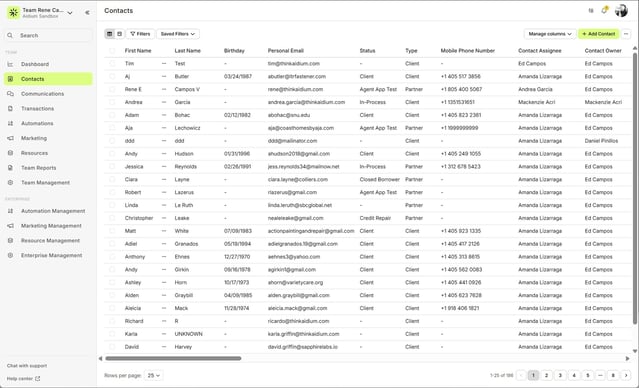
Click the Add Contacts button in the upper-right corner of the Contacts page.
A Create a Contact panel will slide out from the right side of your screen.
Fill out the available fields with the contact’s information.
Once complete, click the Save button at the bottom-right of the panel.
In the left-side main menu, click Contacts.
Click the Add Contacts button in the upper-right corner of the Contacts page.
A Create a Contact panel will slide out from the right side of your screen.
Fill out the available fields with the contact’s information.
Once complete, click the Save button at the bottom-right of the panel.
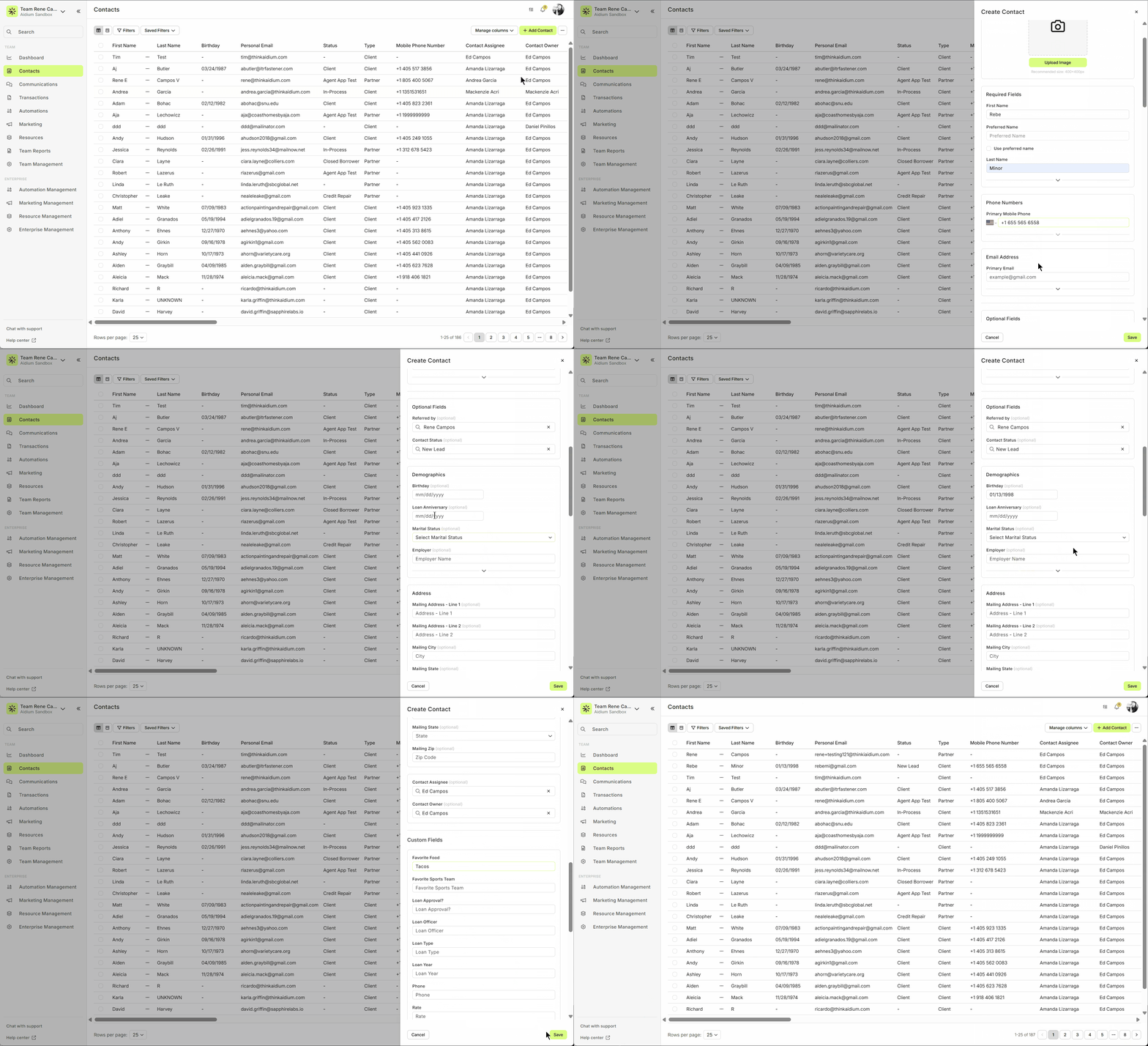
💬 The “Contact Status” dropdown will reflect the options available based on your company’s custom statuses.
💡 Once saved, you’ll be returned to the Contacts list, and your new contact will be ready for use in campaigns, automations, or follow-ups.
👍 This concludes adding a new contact manually.
Related Articles
Contact View - Transactions Tab
The Transactions tab is a straightforward way to view and interact with every transaction (loan) that a single contact is associated with. Whether a borrower, co-borrower, real estate agent or other loan related contact - it will display. This tab ...Contact Detail View – Tags
Tags are a simple yet powerful way to highlight what matters most about a contact. Whether it's their status, source, or role in your process, tags help tell each contact's story—boosting clarity for your team and enabling automations to act more ...Contact Detail View – A Walkthrough
The new Contact Detail View offers a streamlined and organized way to view and manage your contacts. With all information separated into intuitive tabs, you’ll find everything you need at a glance—making it easy to update, communicate, and stay on ...Reassign a Contact to New Owner or New Assignee
In Lendware, you can easily reassign a contact to a new Owner or add a Contact Assignee to share access with another team member. Below are the steps for both actions. There are two types of association on each Contact for User ownership and ...Quick Tips – Creating a Contact and Adding a Referral
Making sure your new leads are created and set up correctly is one of the most powerful ways to stay on top of your pipeline. Not only does it ensure no lead gets forgotten, but it also shows your referral partners that you are organized, reliable, ...