Logging into Lendware
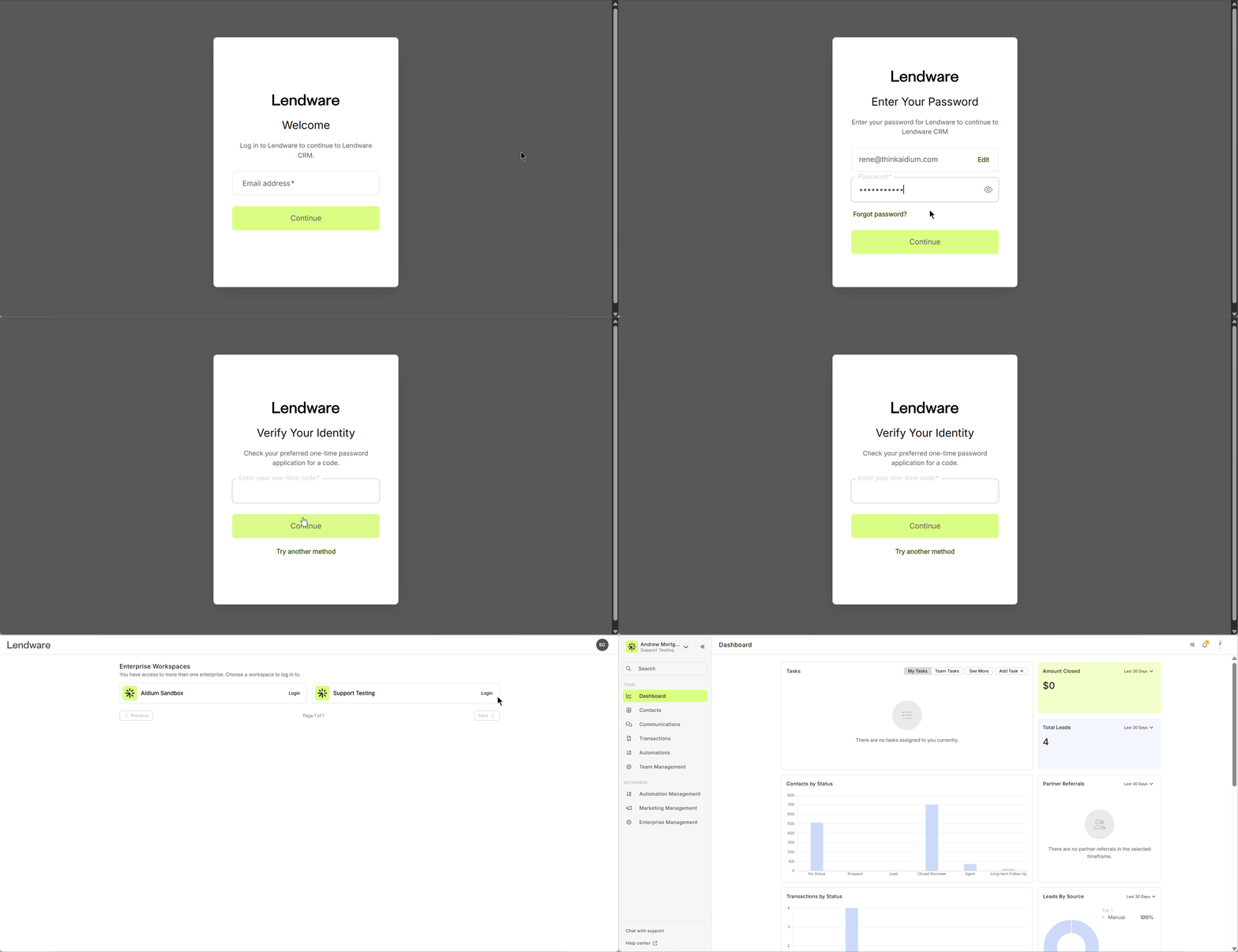
Follow these steps to log into your Lendware account:
- Go to Lendware using your preferred browser.
Enter your email address.
→ Once entered, the password field will appear.Enter your password, then click Continue.
A list of available enterprises will appear.
Click "Login" next to the enterprise you'd like to access.
Once selected, you'll be directed to your dashboard.
Related Articles
Grant Lendware Support Access to Your Account
To assist with troubleshooting some issues, Lendware Support may request that you grant access to your account. To provide the best possible troubleshooting and support, Lendware Support may occasionally request access to your account. This allows us ...How to Reset Your Lendware Password
There are two easy ways to reset your password. From the initial login screen or from your User Account Settings while logged-in to Lendware. We will explore two easy methods for resetting an Lendware password: Initial Login Screen User Account ...Integrate Your Inbox in Lendware (Outlook or Gmail)
In the Account Settings, you can connect your company email to send direct emails to contacts and automated transactional emails. This will also enable a two-way integration connecting emails you send from your computer or phone's email client. 🎉 ...Add an Email Signature to Your User Settings in Lendware
A professional email signature is essential for consistent branding, compliance, and a polished look in all your communications. In Lendware, adding a signature is quick and easy, whether your company has a Marketing Department, an HTML-savvy ...Intro to User Settings in Lendware
The User Settings section allows each user to personalize their experience within Lendware, update login credentials, and manage outbound communication preferences. All changes made in User Settings apply only to the currently logged-in user, but ...