Blend Integration
Blend is one of the most recognized point-of-sale (POS) systems in the mortgage industry, streamlining the loan application experience for borrowers.
⚠️ Please note that this integration is currently in Beta. Please refer to this article regarding Beta Integrations and Features. If you have more questions please reach out to Support or you Account Manager.
Blend is one of the most recognized point-of-sale (POS) systems in the mortgage industry, streamlining the loan application experience for borrowers. With the new Aidium + Blend integration, loan officers can now automate contact management and follow-ups based on application status, ensuring a smoother and more efficient borrower journey.

- Automatic Contact Creation – When a borrower starts an application in Blend, a corresponding contact is automatically created in Aidium, keeping loan officers informed of new leads in real-time.
- Track & Follow Up on Open Applications – Loan officers can easily monitor inprogress applications and send reminders to borrowers who haven’t yet completed their applications, improving conversion rates.
- Seamless Automation Hand-Offs – Once an application is completed, Blend updates the contact in Aidium with a "Blend Application Complete" tag. This tag can be leveraged to transition the borrower from one automation to another, enabling more targeted follow-up campaigns.

In order to setup the integration for your Enterprise we will need the following information.
- Blend Target Instance Name - We ask for your production instance names. Your instance should be just your enterprise abbreviation (Family Business Mortgage = fbm).
- Client ID & Secret - This can be obtained by reaching out to Blend Support (support@blend.com) and requesting them.
.png?width=688&height=86&name=How%20it%20Works%20(1).png)
- A borrower starts an application in Blend (status of In Progress) Aidium automatically creates a contact (or updates the contact if they already exist), keeping loan officers informed, and adds a Blend Application Started tag.
- Loan officers can track open applications and send timely reminders using automations.
- Once the application is completed (status of Submitted), the contact is updated with a Blend Application Complete tag.
- This tag can trigger new automations for post-application follow-ups, borrower nurturing, or next-step engagement.
With this seamless integration, loan officers can stay organized, nurture leads effectively, and improve borrower conversion rates—all without manual data entry.

Field Name | Display Name | Data Type |
| firstName | First Name | string |
| lastName | Last Name | string |
| Primary Email | object | |
| phoneNumber | Primary Mobile Phone | object |
| streetAddressLine1 | Mailing Address - Line 1 | object |
| city | Mailing City | object |
| state | Mailing State | object |
| zip | Mailing Zip | object |
| date of birth | Date of Birth | object |

Administrators will setup the Blend integration under Enterprise Management.
- Click on Enterprise Management.
- Click on Integrations.
- Scroll down to the Blend Integration card.
- Click Enable Blend.
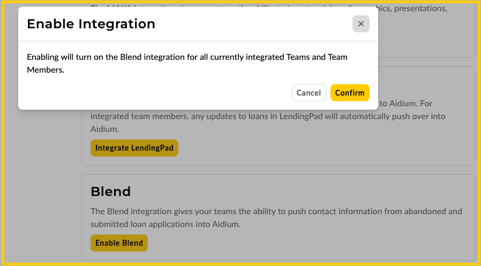
- Click Confirm.

End users that utilize Blend will connect their Blend account in their Aidium Account Settings.
- Click on Team Management on the left hand side menu (at the bottom of the navigation).
- Click on Integrations.
- Scroll down to the Blend Integration card.
- Select the applicable Team Member from the drop down menu.
- Enter your Blend Email to connect to your Blend account.
- Click on Add Member.
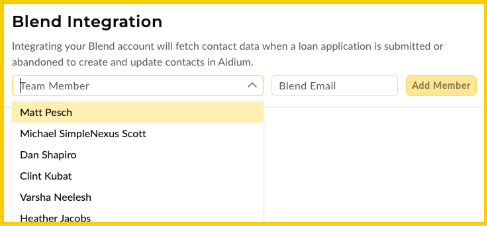
Your Blend account is now connected to your Aidium account and you should start to see contacts come over from Blend once they have started a contact.

There are two available Playbooks available with the Blend integration. They are:
- Blend Abandoned Loan Application
- Blend Submitted Loan Application.
Each automation triggers off of tags that are assigned at different parts of the loan application process. These playbooks can be found in the Browse Playbooks portion of the Automations module. They are located in the folder labeled Integrations.
<insert image>
Blend Abandoned Loan Application
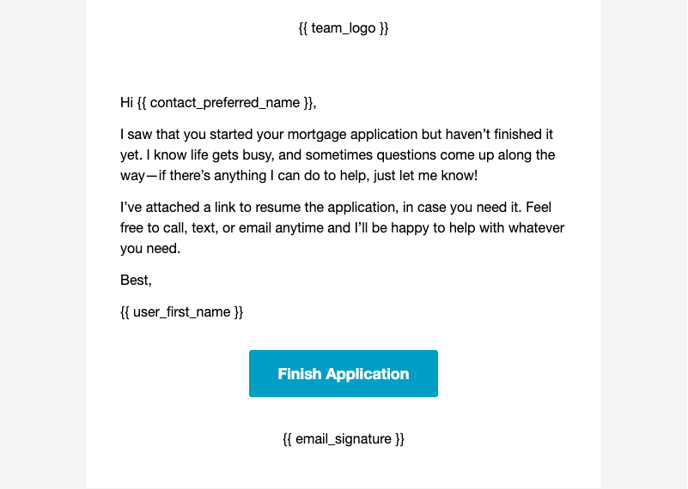
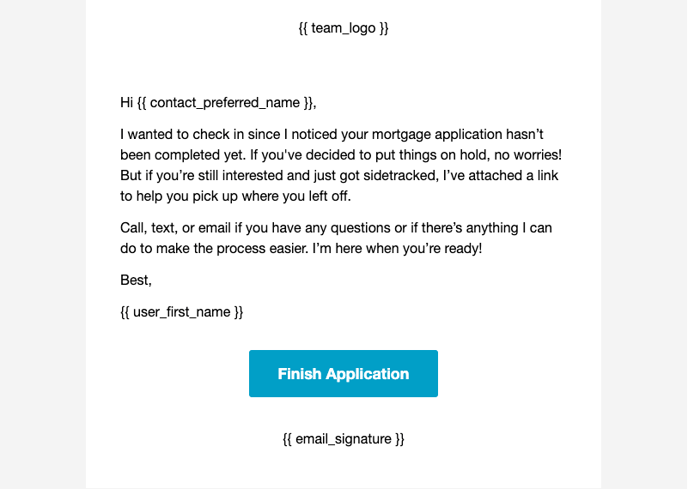
The Abandoned Loan Application automation consists of two emails. The first email is sent 4 hours after the contact has started their Blend Application. If within 3 days they have still not submitted their loan application in Blend it will send a second email before ending the automation.
If at any time during the delays the contact's tags are updated with Blend Application Complete they will be removed from the Abandoned Loan Application automation and start the Blend Submitted Loan Application automation.
Email #1
Email #2
Blend Submitted Loan Application
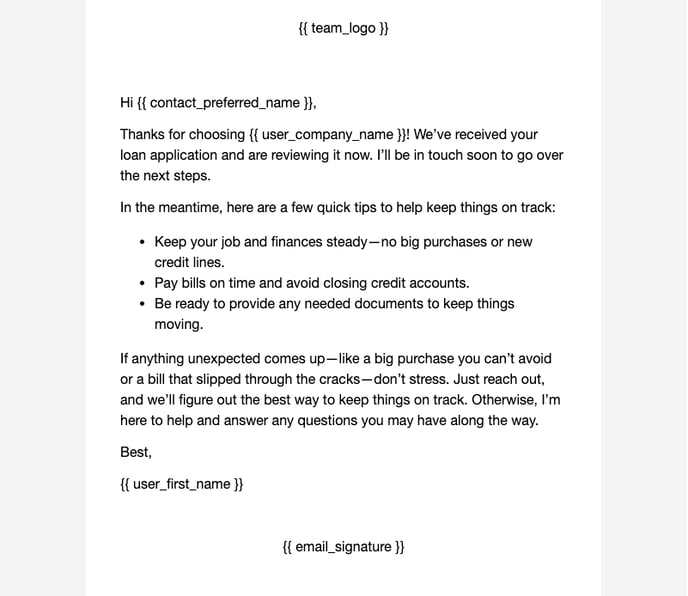
The Submitted Loan Application automation consists of one emails. The email is sent after the contact has completed and submitted their Blend Application and the tag Blend Application Completed has been set on their contact record.
Email #1
Related Articles
LendingPad Integration
This guide provides a step-by-step explanation of how the integration works, how to set it up, and what to expect during daily use. You will also find troubleshooting tips and best practices to ensure a smooth operation. Key Benefits How It Works ...Encompass Integration Guide
Using Encompass, loan officers can originate loans and push the relevant borrower, partner, and loan data to Lendware. Pushing this data to Lendware allows us to trigger automations based on almost any criteria. Value Proposition for Loan Officers ...Lendware Integration: Mortgage Coach
This guide provides a comprehensive overview of the Mortgage Coach integration within Lendware. By connecting your Mortgage Coach account, you can seamlessly generate and manage presentations directly from your Lendware transaction records. Overview ...Configuring Okta for SCIM Integration
This guide will walk you through the steps needed to configure Okta for SCIM integration with Lendware. Prerequisites Administrative access to your Okta Workforce Identity Cloud tenant The SCIM endpoint URL and authentication token (we will provide ...Lendware Azure Entra SAML SSO & SCIM Integration Guide
This guide provides step-by-step instructions for configuring Single Sign-On (SSO) and automated user provisioning (SCIM) between your Microsoft Entra (formerly Azure AD) environment and Lendware. By completing this integration, your team members ...