Enterprise Permissions in Enterprise Management Settings
This article explains the functionality of the Enterprise Permissions section within the Enterprise Management Settings page, focusing on key features like email signature control, Canva integration, and user profile edit access.
Accessing Enterprise Permissions
To manage enterprise-wide permissions:
Navigate to Enterprise Management Settings.
Locate the Enterprise Permissions section.
This section is enabled by default and controls what users can or cannot do within your organization.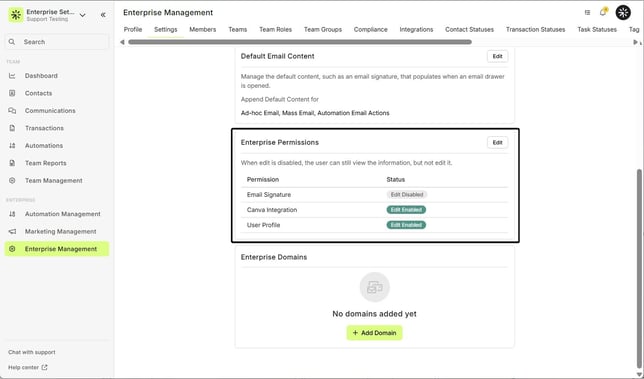
Email Signature Permissions
Admins have special permissions regarding email signature editing:
Admins can:
Edit their own email signature.
Edit any user’s email signature from their profile page.
Non-admin users:
Behavior depends on the selected permission setting for email signature control.
Email Signature Settings Explained:
Setting User Experience Edit Plain Text Only Users can edit their signature, but only in plain text—HTML editing is hidden. Disabled Users will still see the "Edit" button, but clicking it will show a message indicating they do not have permission to edit.
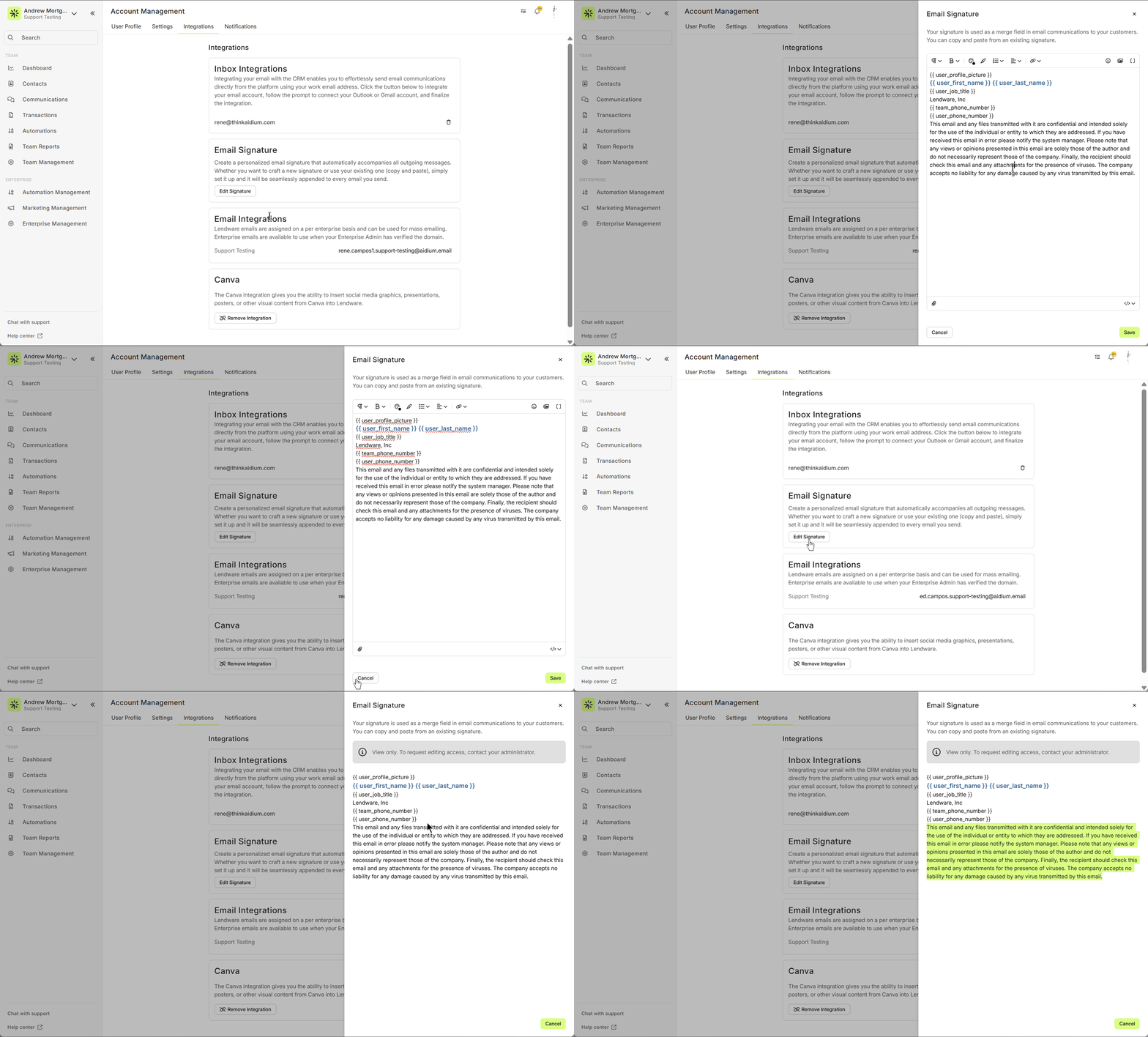
If you recently changed the permission, you may need to refresh the page for the new setting to take effect.
| Setting | User Experience |
|---|---|
| Edit Plain Text Only | Users can edit their signature, but only in plain text—HTML editing is hidden. |
| Disabled | Users will still see the "Edit" button, but clicking it will show a message indicating they do not have permission to edit. |
If you recently changed the permission, you may need to refresh the page for the new setting to take effect.
Canva Integration Permissions
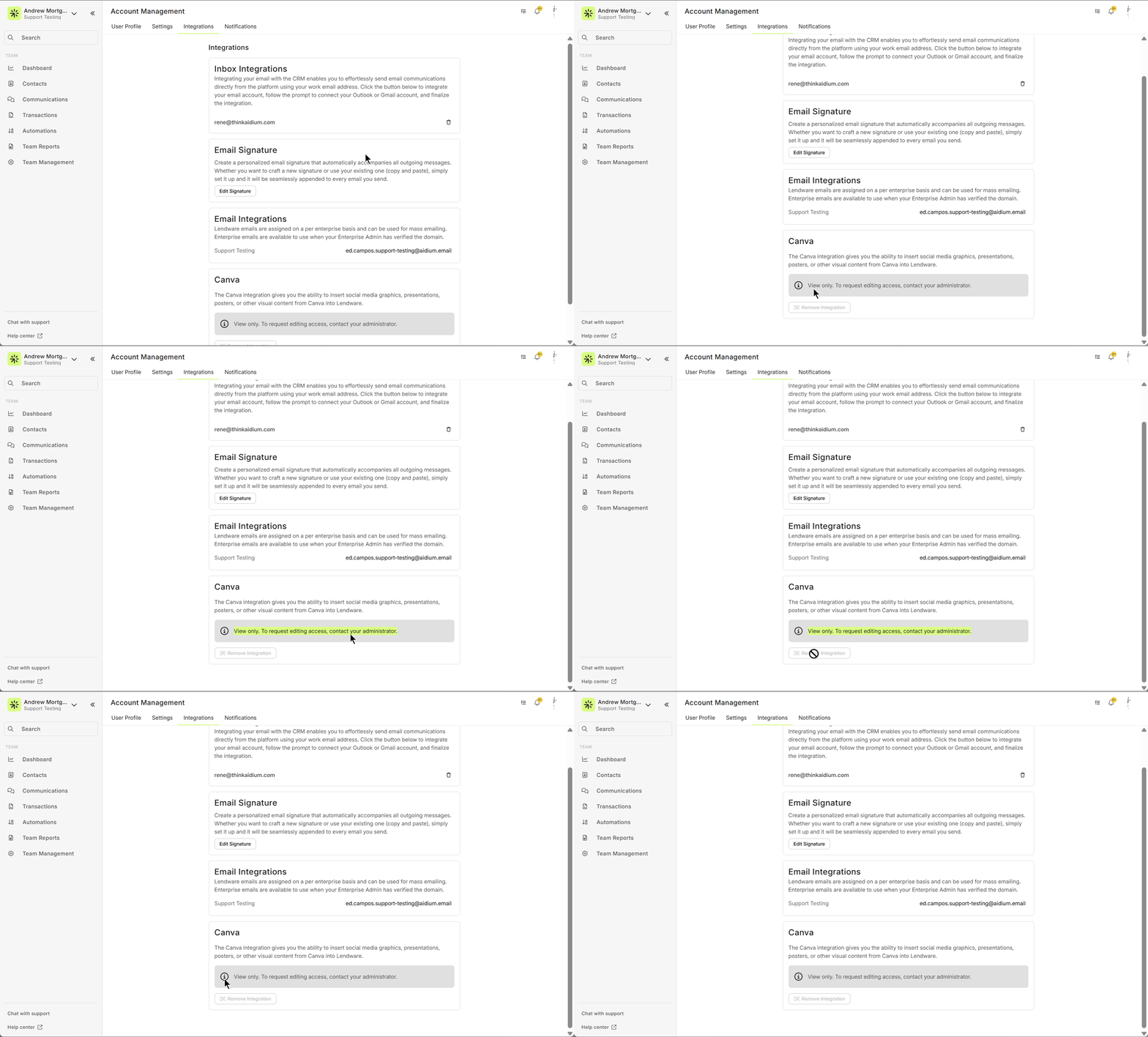
When the Canva Integration is disabled under Enterprise Permissions:
Users will still see the Canva section.
However, it will be view-only, meaning they cannot create or edit templates directly in Canva from within the platform.
User Profile Edit Permissions
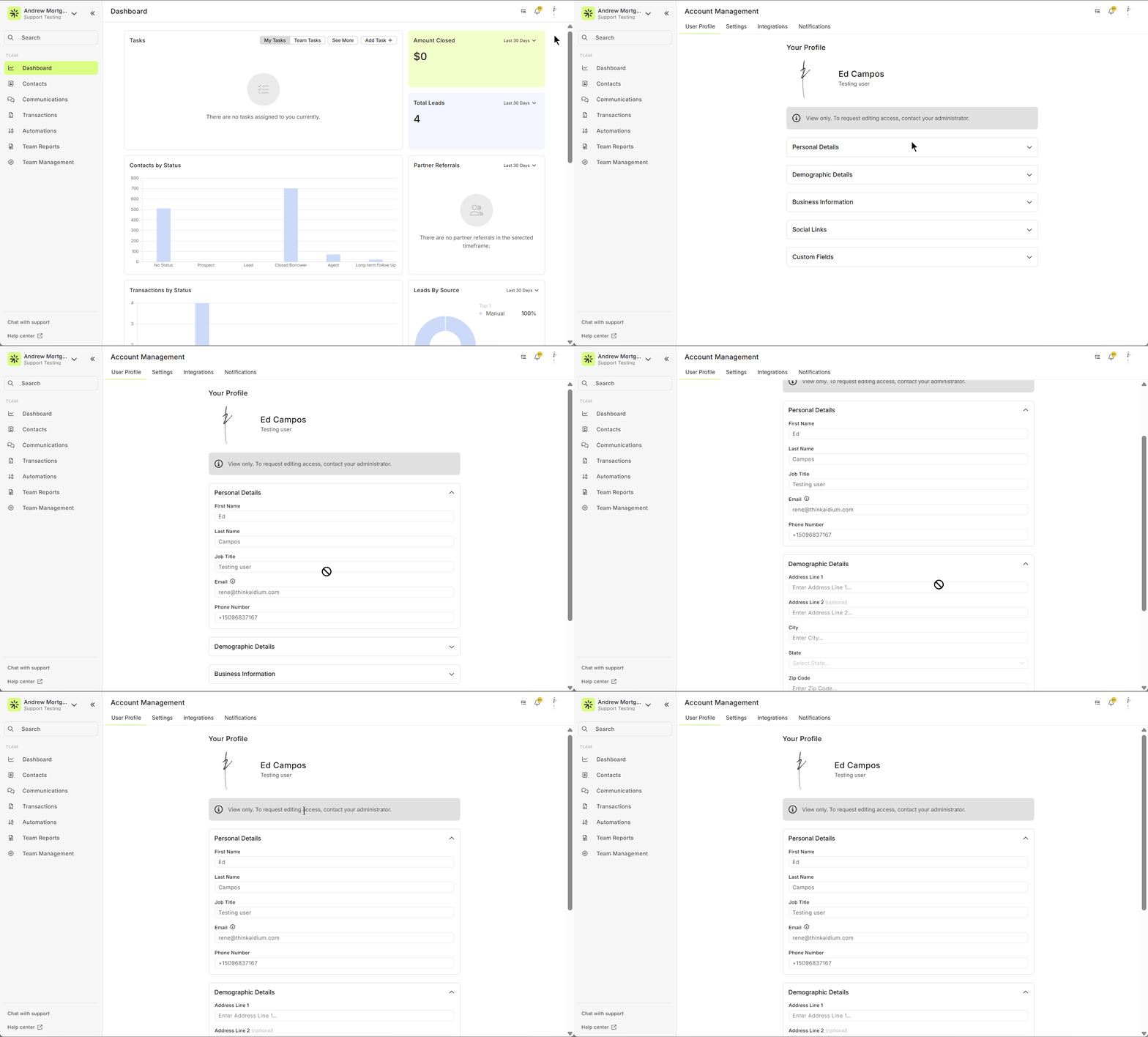
This setting currently functions as all-or-nothing:
If disabled, users cannot edit any of their profile fields.
Admins retain full control regardless of this setting.
Granular control (e.g., per-field editability) is planned for future updates.
Summary
The Enterprise Permissions settings allow admins to centrally manage user access to:
Email signature editing (with varying levels of control)
Canva template integration
User profile field editing
These settings help enforce consistency and control across your organization, with further customization expected in upcoming product updates.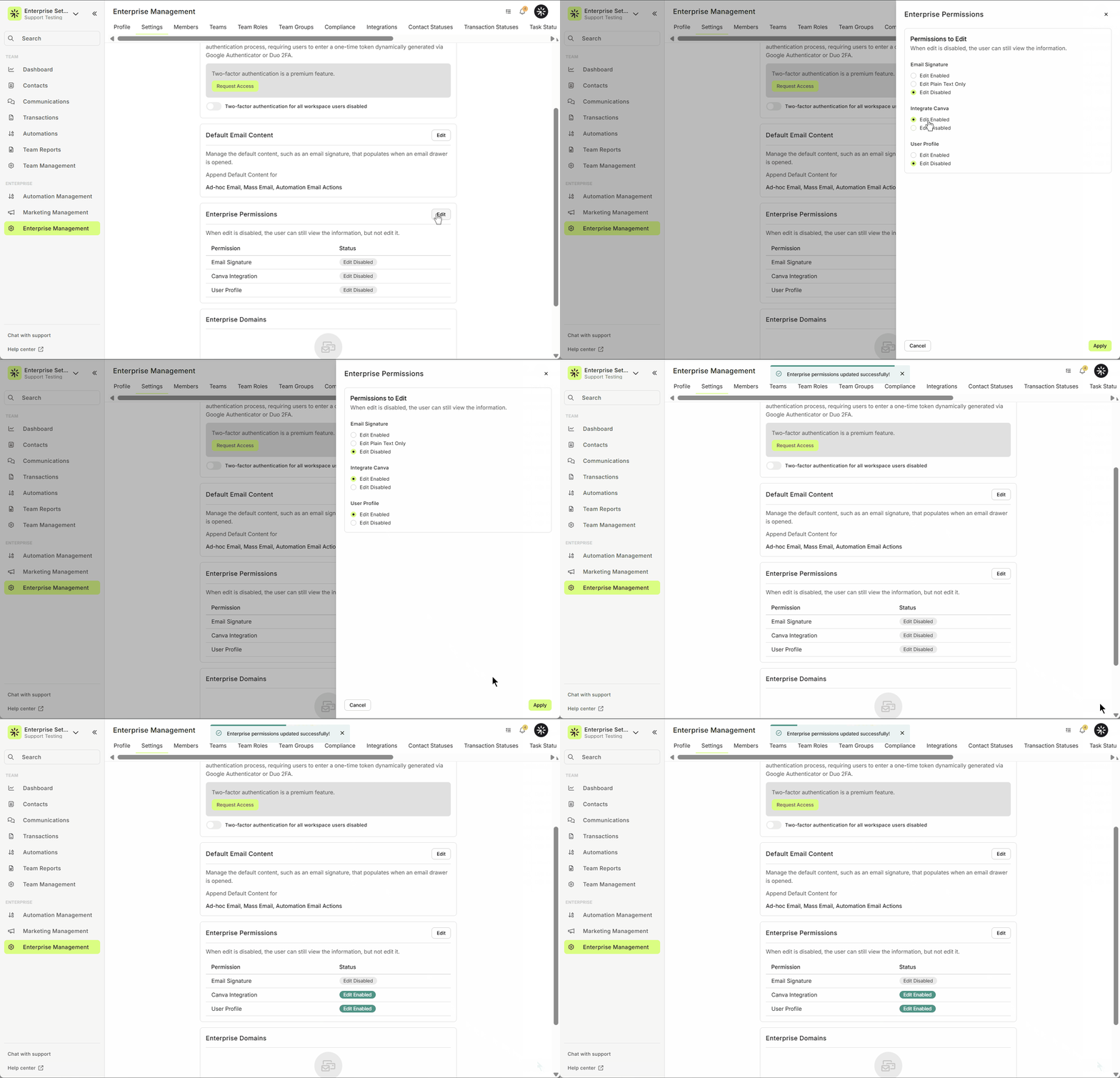
Need Help?
Contact the Lendware Support Team through the in-app chat or email us at support@lendware.ai.
Related Articles
Enterprise Management Overview
Enterprise Management is the single place where Admins configure and govern settings that apply across your whole organization. From branding and compliance to integrations, teams, user roles and custom fields. Enterprise Management gives you the ...Invite and Edit Enterprise Members
This guide explains how to set roles and permissions when inviting a new enterprise member or updating an existing one. Managing member access in your enterprise is essential for security and productivity. This article will walk you through the ...Enterprise Domain Admin Setup – Send Automated and Bulk Email Using Your Company Domain
Lendware offers the ability to send automated and bulk emails directly from your Company or Team domain. This allows you to send emails through Lendware’s warmed-up email infrastructure with optional DKIM authentication for full branding, identity, ...How to Deactivate a User in Lendware (Team-Level & Enterprise-Level)
This guide provides instructions on how to deactivate a user in Lendware, either at the team level or the enterprise level. Deactivating a user will revoke their access to the associated teams or the entire enterprise, depending on the action taken. ...Admin: Add or Update Any User’s Email Signature
With a few clicks in Enterprise Settings an Admin User can access, add, and edit any user's email signature. This is an efficient way to ensure compliant and consistent brand signatures across the entire Enterprise. In the video below, we’ll walk you ...