How to Install an Entire Set of Playbook Automations
We highly suggest understanding many of the basics before copying playbook automations to a team. If you missed it or would like a refresher course, click here.
To copy an entire playbook type, we'll start by entering the Playbook Automations page. In our case, we want to copy the entire 'Lead Conversion' category.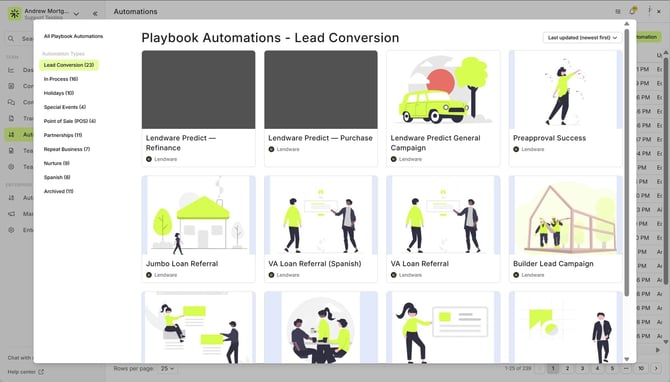
Next, we'll simply select one of the automations, then using the buttons that appear at the bottom and click, 'Select all automations in lead category". After that, we'll then click the 'Copy Selected Playbook Automations'.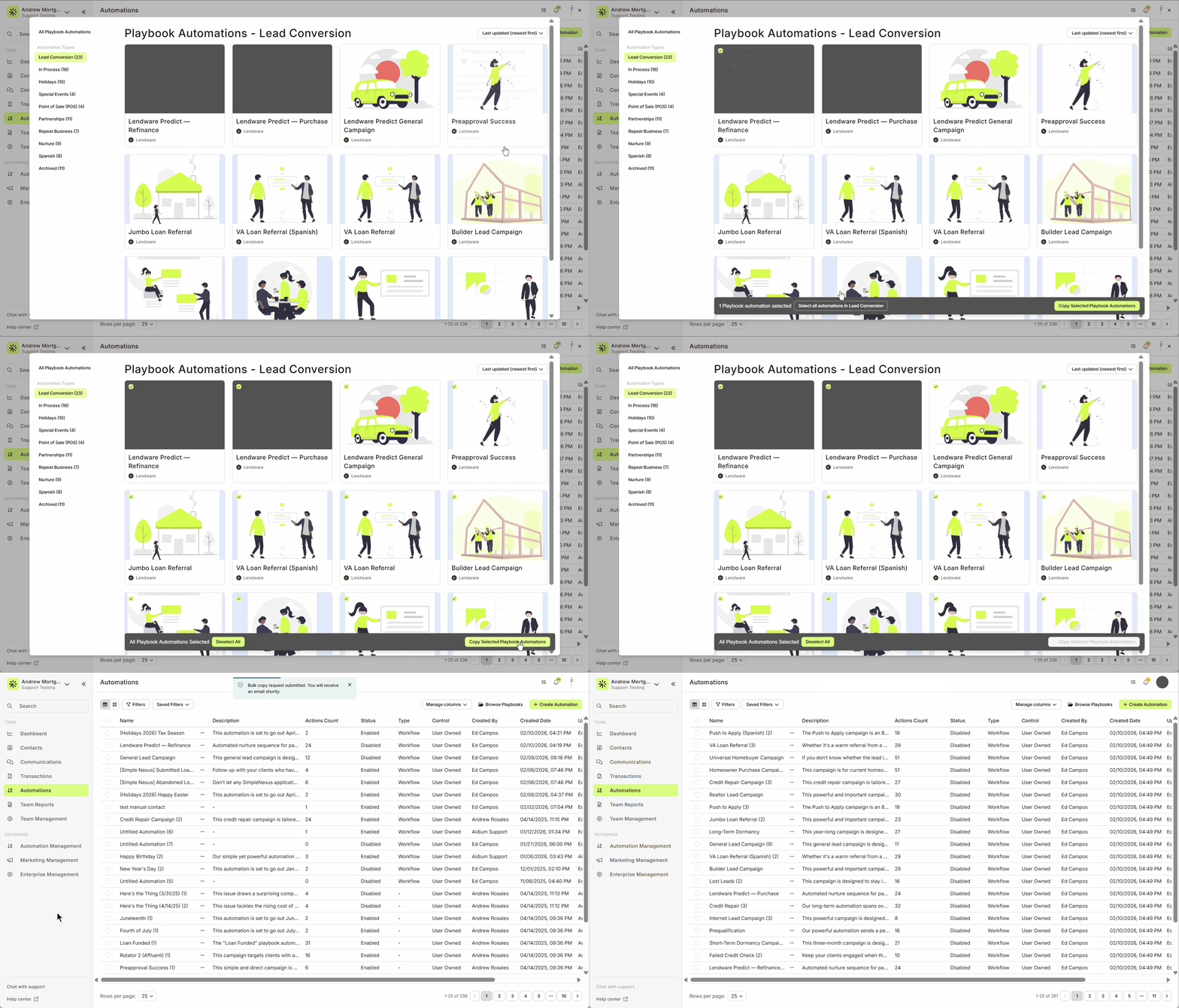
When bulk copying, it will send an email to the logged-in user when the copy process is completed.
Enable the Entire Set of Copied Playbook Automations
Automations must be enabled before a contact can be enrolled, either manually or automatically.
It's important that if we are using Entry Conditions, they are setup as intended before we enable the automation - this will help avoid unintended side-effects.
In the following animated GIF, we'll demonstrate selecting all of the newly copied automations, then enabling them all at once.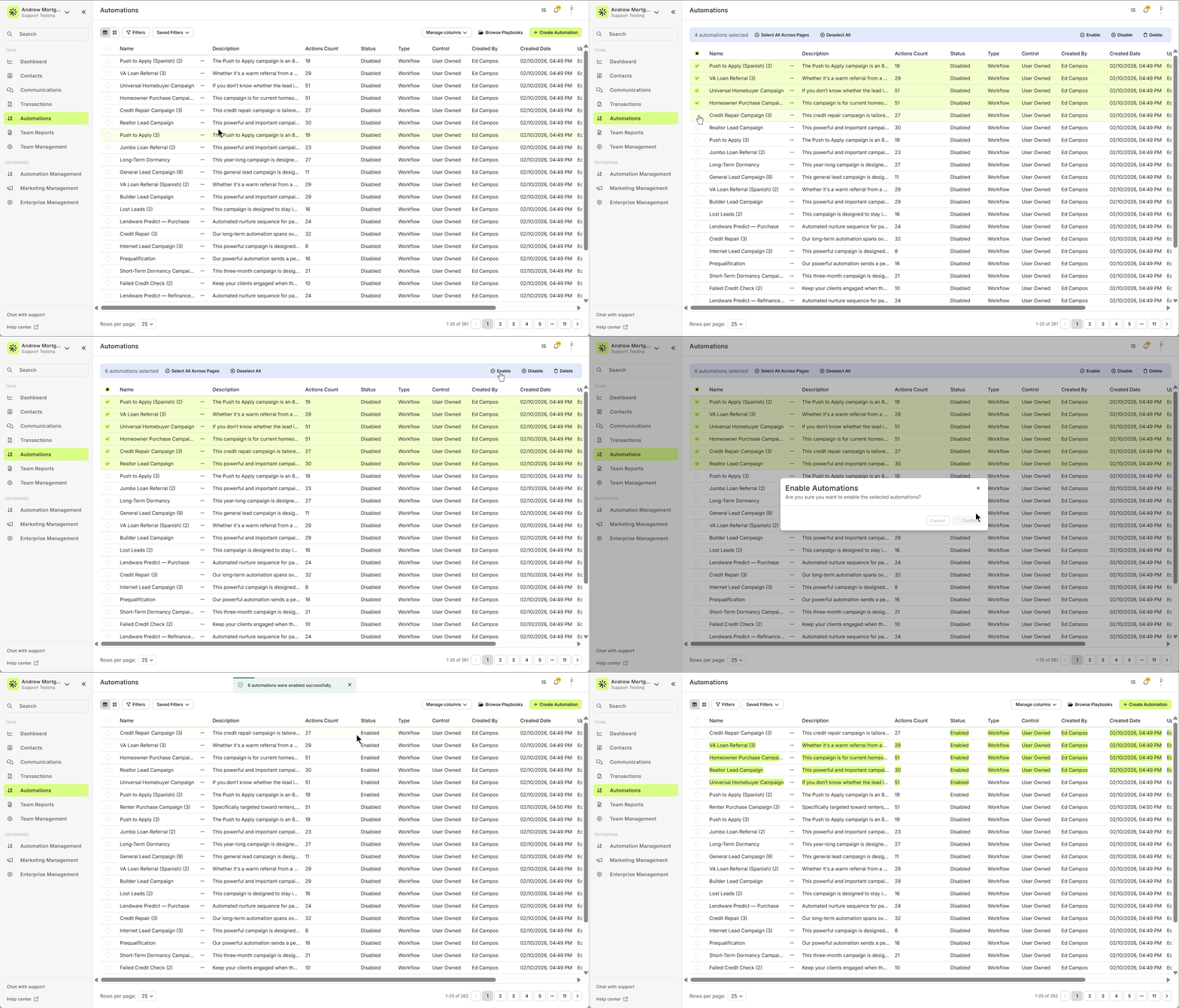
⚙️ Learn how to Edit a Playbook Automation after copying
👍 This concludes bulk copying playbook automations to a team and enabling.
Related Articles
How to Install a Playbook Automation
Playbook Automations are pre-built, ready-to-go workflows designed to jumpstart your marketing and loan communication efforts. They help your team focus on clients and loans—not setup. Each Playbook category contains multiple automations grouped by ...How to Edit Copied Playbook Automations
After copying one or more playbook automations to a team, it will be important to ensure they are ready to work as intended and ways that match your team's workflow and processes. We'll show you how to edit and add each element, with little effort. ...Co-Marketing Consent Form Playbook
The Co‑Marketing Invite Consent Request playbook is a pre‑built workflow designed to help loan officers invite partners (e.g., real‑estate agents) to opt in for co‑marketing. It sends an email with a “Let’s Connect” call‑to‑action that points to a ...Playbooks: Holiday Greeting Automations
Sending a holiday greeting is quick and effortless with Playbook Automations — helping you stay top of mind with clients and partners during key dates throughout the year. Lendware's Playbook Automations are consistently being updated with fresh and ...Playbook – Refinance Check-in Automation
Re-engaging past borrowers about refinancing when interest rates are high is simpler than you might expect. Lendware’s Refinance Check-in Playbook Automation makes the process seamless, allowing you to focus on building meaningful conversations while ...